Why You Can't Find Anything in Your ChatGPT History

Last month you sat down with ChatGPT and worked out a competitor's pricing structure. You're certain of it. But which thread was it in? You scroll the sidebar and every title looks like every other title. Nothing says "pricing." In the end you give up and ask the same question all over again. If you use ChatGPT every day, you've lived this. And most people read it as a personal failing: I'm just bad at keeping things organized. You're not. ChatGPT's conversation history simply isn't built to be searched later. It stacks up in time order and then never gets opened again. That is exactly the structure that turns a read later list into a pile nobody touches. In this article I'll break the problem into four parts, then turn it into a routine you can start running tomorrow. By the time you're done, the hunting should mostly be gone.
It's not your memory, it's the structure
Here's the conclusion first. You can't find things in your ChatGPT history because that history is designed as a timeline that flows past you, not as an archive you search.
The threads in the sidebar stack newest-first, and older ones get pushed down and out of sight. All the order encodes is when you last touched something. There's almost no clue about what's inside. It's the same shape as a social feed, or the scrollback in a chat app.
A timeline is an excellent format for seeing what's happening now. It is a bad format for retrieving that one decision you made three months ago. The more time passes, the deeper the thing you want sinks.
And ChatGPT conversations accumulate unusually fast. Bookmarks and read later saves only grow when you happen to run into something good. Conversations grow every time you ask a question. Five uses a day is 150 threads a month. Somewhere past a few hundred, the sidebar stops being a list and becomes wallpaper.
Near-zero friction at the entrance, no path at the exit. Put those two together and anything will pile up — and the same thing happens to whatever you save out of an AI tool, which is why turning saved AI information into something useful takes a deliberate step rather than just more saving. Conversations are the extreme case: they accumulate faster than anything else, and nothing about the interface asks you to do anything with them afterward.
Four reasons you can't find anything in your history
"Hard to search" is too vague to act on. Break it apart and there are four distinct places where it jams.
1. Titles are generated for you, and they don't match what you search for
The title of a thread is generated by ChatGPT from the opening exchange. That's where the first gap opens.
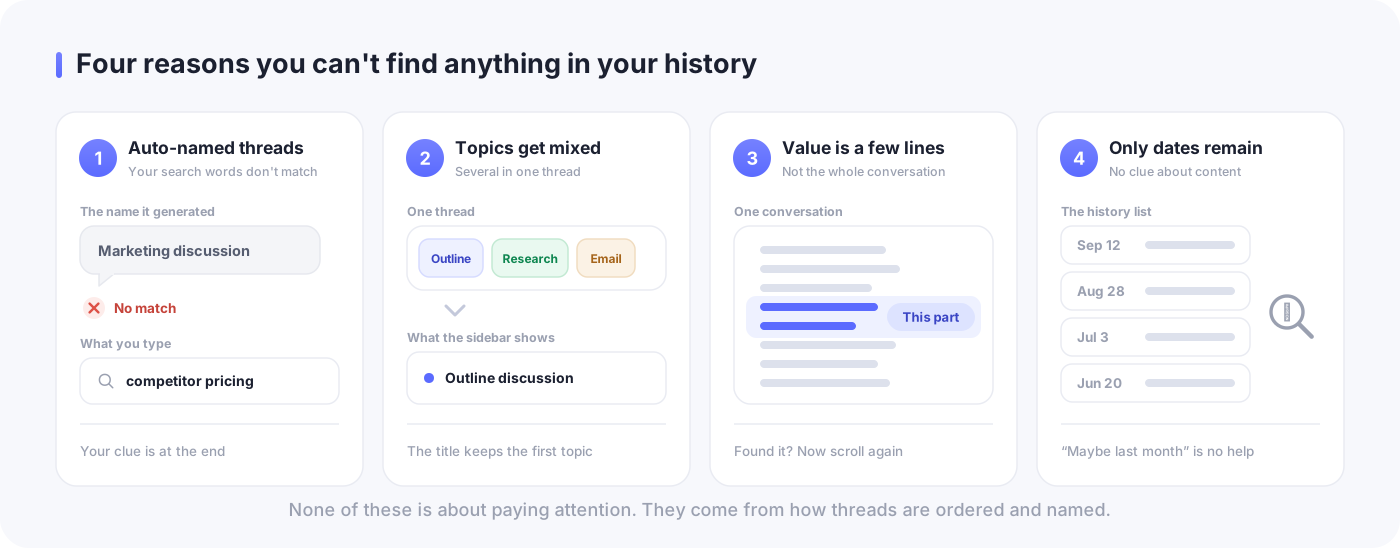
Auto-naming picks up the words used at the start of the conversation. But when you go looking later, the words you type are about what you finally learned, or what you were trying to accomplish. A thread called "Marketing discussion" turns out to contain a pricing comparison of three competitors. Six months later you search for "pricing" and, naturally, get nothing.
The real issue is that you didn't write the title. Auto-naming summarizes the entrance to the conversation, and the clue you remember it by almost always sits at the exit.
2. One thread ends up carrying several topics
Conversations with ChatGPT drift, and they drift naturally. You start on an article outline, tighten a few headings along the way, look up a competitor example while you're there, and finish by having it draft an email. All of that fits in one thread.
As a conversation, that's a perfectly reasonable flow. As something to search later, it's the worst possible shape. One item is holding several topics, so no single topic name can represent it. The title stays stuck on the first thing you talked about, and everything from the second half disappears — not just hard to find, but invisible.
This mixing happens for a good reason: staying in the thread keeps the context, which is easier. Which is exactly why it will happen every time unless you interrupt it.
3. The value isn't the whole conversation, it's a few lines inside it
When you dig back into a long conversation, what do you actually want out of it? Almost always, the few lines at the end.
Out of a thirty-turn exchange, the part you'll reuse is "we're going with this approach," "these three are the candidates," "this number comes from here." Everything else is the trial and error that got you there, and it has almost no reuse value.
What's stored, though, is the whole conversation. A handful of valuable lines buried inside a large volume of worthless text. So even when you do find the right thread, you still have to scroll through it hunting a second time. That's why "I found it and it still didn't help" happens.
4. There's no clue but the date
No folder. No tag. No note in your own words. The only clue left is when you talked about it.
And that "when" isn't reliable either. Human memory holds onto content and loses timing. A conversation you're sure happened last month routinely turns out to be three months old. The only handle you have is chronological, and that handle is inaccurate. Of course you can't find anything.
None of the four is about your attention span or your memory. They're about how things are ordered and how they get named.
Why search and projects don't finish the job
Some of you are thinking: there's a search box, isn't there. True — and the features do keep improving.
As of September 2026, ChatGPT can search your past threads. History search arrived in October 2024, and in January 2026 it was strengthened for paid plans (Plus and Pro) so it can look across past conversations and cite the chats it referenced as sources. In April 2025 the memory feature was expanded so responses can draw on earlier conversations. There's also Projects, which groups threads together, and since September 2025 it's available on the free plan. You can move existing threads into a project after the fact.
Even so, of the four reasons above, features only solve part of the problem.
Search works when the words you type were actually written somewhere in the conversation. A conversation you only remember as "that thing" can't be specified no matter how clever search gets. Projects gives you containers, but you still have to decide which thread goes in which one — and to decide that, you end up scanning the sidebar again. As of September 2026 there are no nested folders either, so there's a hard limit on how elaborate your classification can get.
And above all, reason 3 — the value is a few lines — is not something a feature can fix. As long as the whole conversation is what's stored, pulling out the lines you need stays your job.
This isn't an argument against using the features. Use search. Use projects. Just build your routine on the assumption that they won't cover everything.
ChatGPT is a place to think, not a place to keep things
This is the premise I most want to land. If you try to manage all your information inside ChatGPT, it will usually fail.
The reason is simple: the roles are different. ChatGPT is a place to move your thinking forward. You throw a fuzzy question at it, correct the answers that miss, have it draft something, decide it's wrong, and start over. That back-and-forth is what ends up in the log. What's stored is the process of thinking, not an organized result.
You can't find what you're looking for because you're searching a record of process for a finished product.
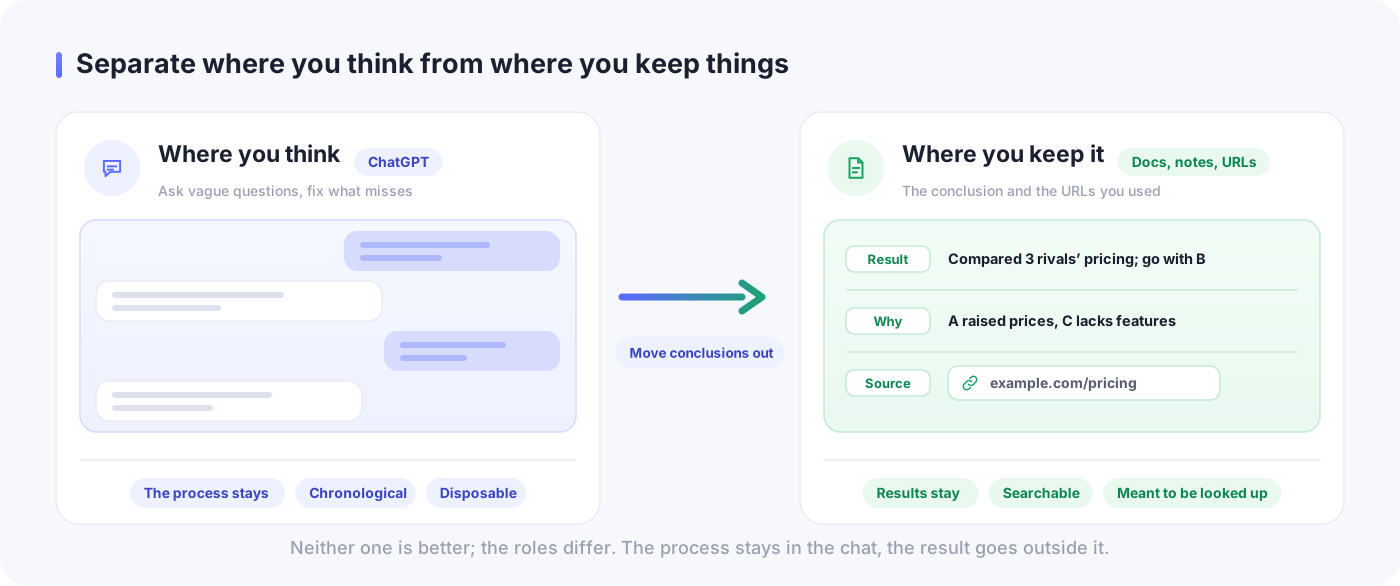
Splitting "the place that catches the process" from "the place that holds the conclusion" isn't a new idea. It's the same structure as the argument that pouring unsorted material straight into a tool meant for organizing — a Notion workspace, an Obsidian vault — makes a mess of the tool.
ChatGPT shouldn't be that keeping place for exactly that reason. Its entrance friction is extraordinarily low, so it will happily absorb any amount of undecided, half-formed material. The better something is at catching, the worse it is as a place to keep.
In practice: three moves that make your history findable
With the premise settled, here's what to actually do. Three things, in order of increasing effort.
Cut threads by topic
The moment you think you're moving to a new topic, don't continue — open a new thread. This is the highest-return move on the list.
The test is simple: can you name this thread with one topic? If you're working on an article outline and you shift to competitor research for a different piece, cut there. If you want the context to carry over, copy a few lines of the previous conclusion and paste them at the top of the new thread. You don't need to bring everything.
One topic per thread doesn't just eliminate the mixing from reason 2 — it also makes the auto-generated title more accurate, which chips away at reason 1. When the opening topic matches the topic of the whole conversation, auto-naming has a much better chance of hitting the target.
Rewrite the title in your own words
When a conversation is finished, retype the title by hand. It takes five seconds.
The trick is to not write a summary. What you write is the words future-you is likely to type when hunting for this conversation.
- "3 competitors pricing plans compared Sept 2026"
- "Landing page headlines, drafts including rejects"
- "Reading an earnings report, glossary notes"
What auto-naming would have left as "Marketing discussion" can now be pulled up by "competitors," "pricing," or "Sept 2026." Trying to summarize makes your hand freeze; deciding "what will I search for" is instant.
Planting search terms at save time is the same idea as attaching a note when you save a URL. At the moment you finish something, leave behind one word you'll search for later. That alone changes the odds of ever retrieving it.
When you reach a conclusion, move it out of the conversation
Here's the hard part. When a conversation produces a conclusion, transfer that conclusion outside the conversation.
Where it goes doesn't matter much — whatever document or note app you already use. What matters is that it isn't inside ChatGPT. Keep what you move out to three things:
- The conclusion, in a few lines. What you decided, or what you found out. Bullet points are fine; it doesn't need to be prose.
- Why you landed there. Include the options you rejected and one line on why. This is the part that pays off later.
- The URLs you used as sources. Links ChatGPT surfaced, plus any page you opened yourself to verify. Research answers in particular live or die on whether those sources survive the conversation — a practical workflow for keeping and verifying deep research sources covers how to hold onto them and check them without rereading everything.
Once it's transferred, the original conversation becomes disposable. That's the turn in thinking. Trying to preserve conversations as assets is what makes "I can't find it" a problem in the first place. Decide instead that conversations are disposable and only the output is kept, and it stops mattering that you have hundreds of threads. There's nothing to search for.
Transferring takes one or two minutes in practice. Set that against redoing the same research from scratch and it's an obvious trade.
Save your source URLs somewhere other than the conversation
Of the three things you move out, URLs are worth handling separately. Leaving a URL inside a conversation makes it doubly hard to find.
Ask ChatGPT to look something up and you get a batch of reference links. You can't read them all right then. But the links live inside the conversation, so reading them later requires first finding the conversation — a step you now know is unreliable. The URL you want is being held hostage inside a thread you can't locate.
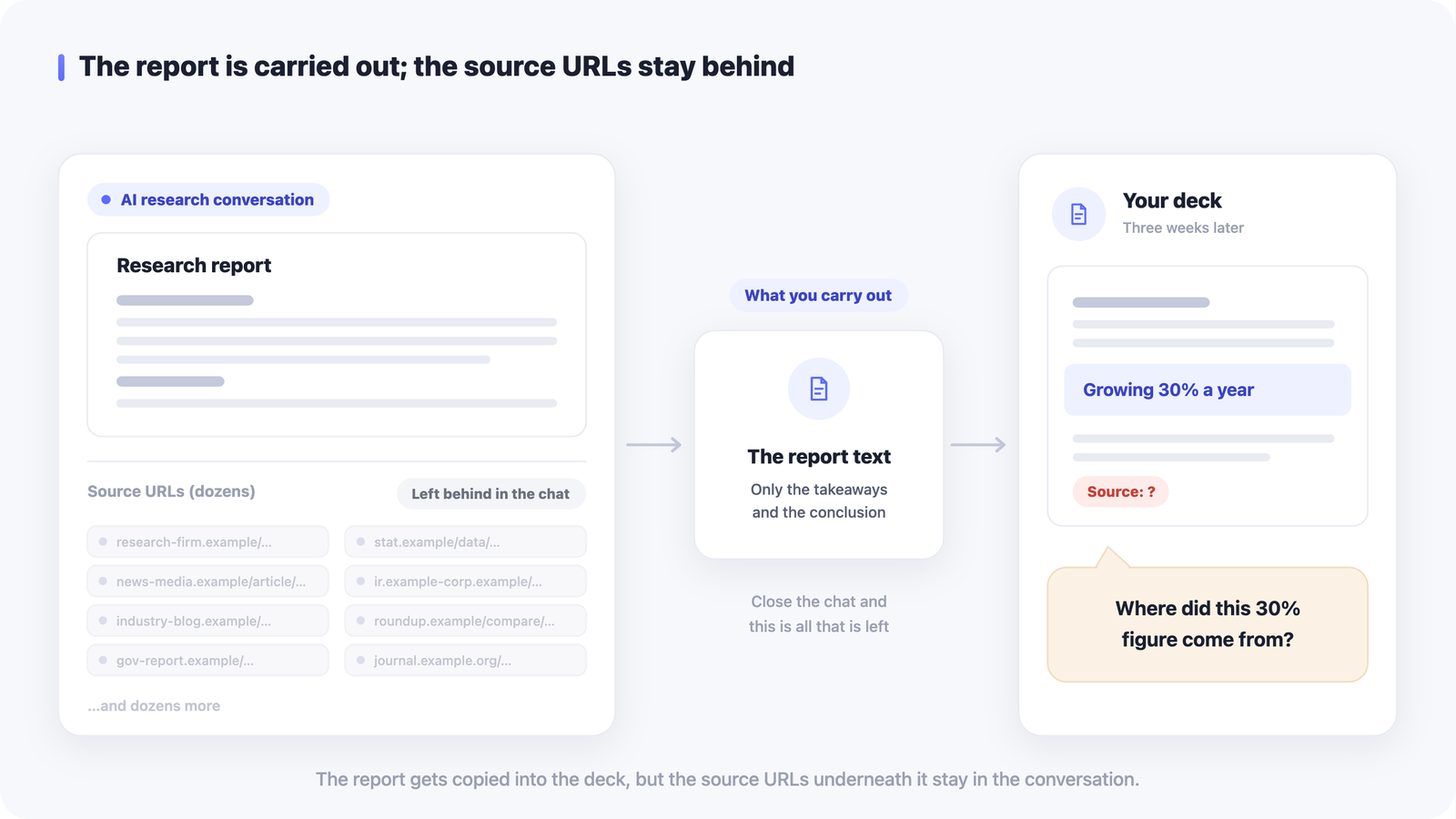
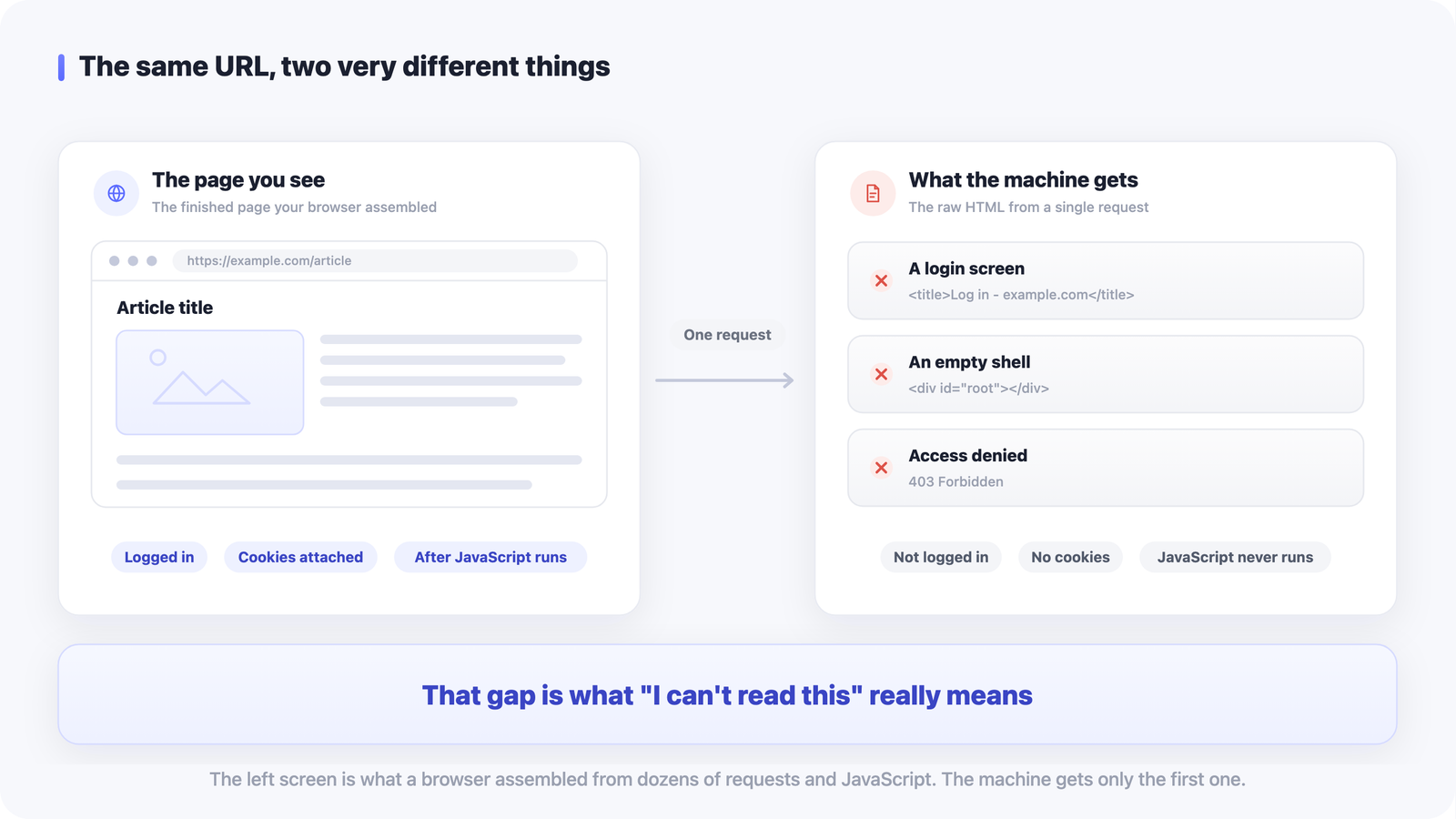
It doesn't help that the reverse trip is unreliable too. Paste a URL back into ChatGPT months later and the page may not load at all; there are seven common reasons ChatGPT can't read a URL, and most of them have nothing to do with the link being broken. Another argument for keeping the page itself — title, description, your own note — somewhere you control.
So save any URL that looks useful outside the conversation, right away. When you save it, add a line about the context it came up in. That line is what pays off later. Something as thin as "competitor pricing page — screenshot of the pre-revision prices is in here" is enough.
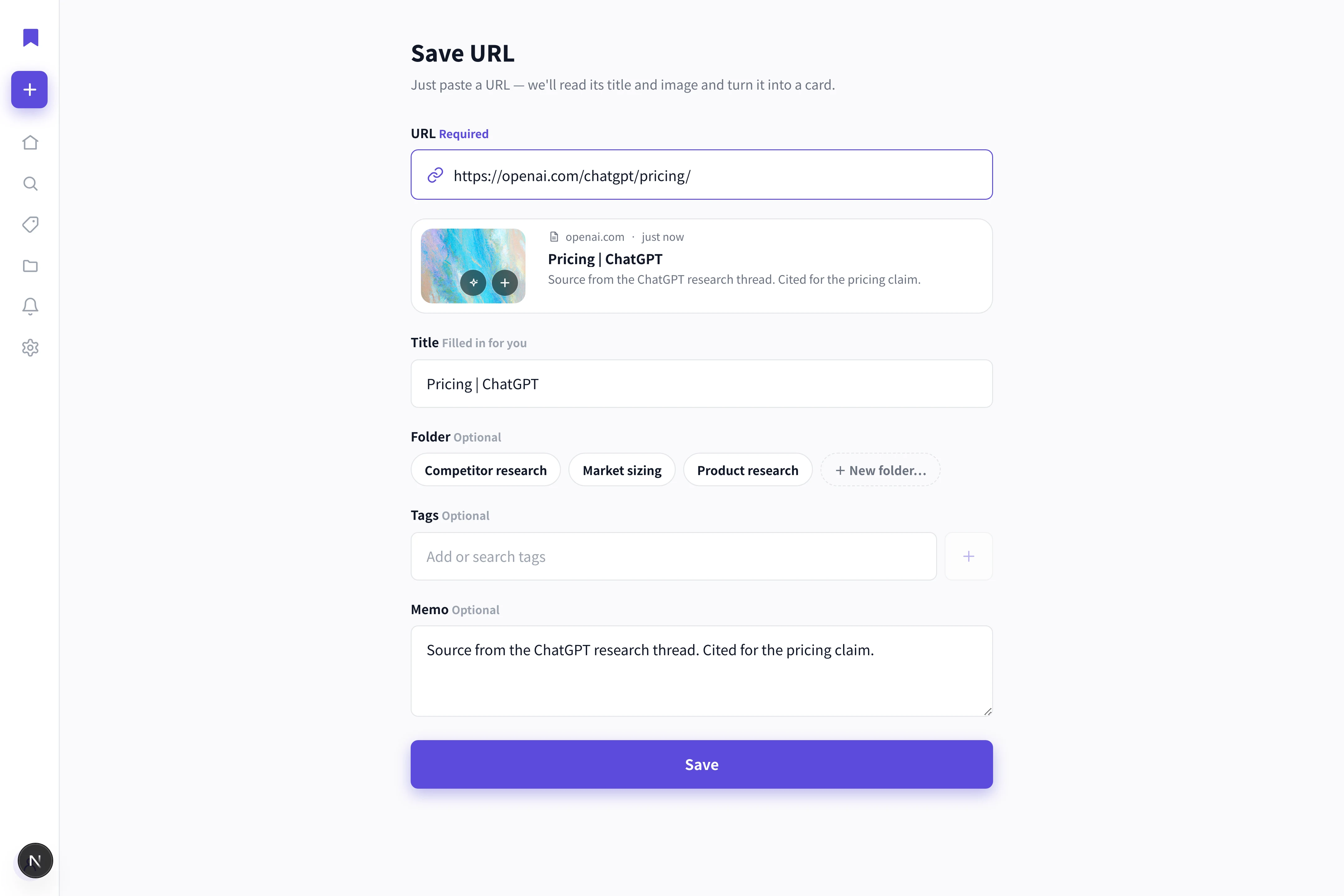
LaterList pulls the title, thumbnail and description automatically when you paste a URL, and lets you attach a note on the spot. You can sort with folders and tags, and search runs across your notes too, so it fits cleanly when what you want is to keep "URLs I referenced during research" separate from the conversation. Exporting your saved data is a paid-plan feature. It also surfaces saves you haven't looked at in a while on the home screen, which brings back links you collected during research and then forgot.
The tool doesn't matter. The principle is one line: never leave a URL you made a decision with stranded inside a conversation.
Which conversations to delete, and which are worth keeping
Once this routine is running, the next question shows up: what am I allowed to delete? Decide the criteria in advance and hesitation turns into judgment.
Safe to delete is anything whose conclusion you've already moved out. If it's been transferred, you have no reason to go back to the original. The same goes for work that leaves you an artifact — editing a piece of writing, translating something, a one-off code rewrite, brainstorming phrasings. Once the artifact exists, preserving the process has little value. Factual questions with a single right answer can go too; ask again and you'll get the answer again.
Worth keeping is three kinds of conversation.
First, conversations where the process itself is the information. A dozen turns spent sharpening an idea, or a discussion where you reset the premises several times. Transfer only the conclusion and you lose why you landed there. In that case, keep the conversation alongside the transfer, and add "includes the reasoning" to the title.
Second, conversations where you handed over a lot of your own context. Answers you got after explaining your company's situation, the history behind a decision, fine-grained constraints — those are expensive to reproduce. If there's any chance you'll continue on the same premises, they're worth keeping.
Third, conversations full of rejected options. A list of the approaches you didn't take is useful later for showing that a direction has already been considered. Even so, it's safer to transfer one line on why each was rejected.
When you're unsure, look at one thing: did the conclusion get moved out? If it did, you can delete. If it didn't, move it out first. Decide whether to keep only after that.
One habit that actually runs beats adding more filing. Cut threads, fix titles, move conclusions out. Of those three, try just the last one on today's conversation.
FAQ
Q. Should I keep all my ChatGPT history?
No. Anything whose conclusion you've already transferred out of the conversation is safe to delete. What's left in a conversation is the process of thinking, not an organized result. The ones worth keeping are three: conversations where the process itself carries information, answers you got after handing over a lot of your situation and constraints, and conversations full of rejected options. When you're unsure, judge on one thing — did the conclusion get moved out? If it did, you can delete it.
Q. Will Projects and folders solve this?
Partly, but not enough. As of September 2026, Projects lets you group threads and move existing conversations in after the fact. You still have to decide which thread goes in which project, though, which means scanning the sidebar again. And what you want later is usually a few lines inside a conversation rather than the whole thing, which tidier containers don't address. Before you sort into folders, build the habit of moving conclusions out of the conversation.
Q. Do I have to rename every thread?
No, not every one. Auto-generated titles summarize the opening of a conversation, but the words you search with later usually come from the end of it, and that's where the mismatch is. Renaming only the conversations you're likely to reference later is enough. Write search terms future-you would type, not a summary. Something concrete like "3 competitors pricing plans compared Sept 2026" raises your odds of retrieving it, for a five-second edit.